Lossless Scaling and You: A Rapid-Fire Guide
Steam is widely known and recognized as one of the best PC gaming platforms, but did you know it also plays host to a whole bunch of utility-level apps, to boot? One of them is Lossless Scaling: a phenomenally powerful scaling and frame-gen application that can be injected into just about any game you may wish to play.
You read that right, yep: Lossless Scaling is an effectively universal gaming utility that can be used on anything and everything, as long as it supports windowed or borderless windowed rendering. From the cutting edge AAAs all the way to emulated, frame-capped classics, they can all make good use of tools and options found in Lossless Scaling. Best of all, the app is really easy to use... provided you know what you're actually looking for. That's where we come in.

What is Lossless Scaling?
Lossless Scaling is a comprehensive set of utilities that allow users to inject image scaling techniques and - arguably more importantly - frame-generation into games that otherwise might not support these technologies. In simple terms, Lossless Scaling can be your one-stop-shop for image quality and performance improvements... of sorts. However you flip it, though, it's an extremely handy utility that is useful to have around for edge cases in niche games, if nothing else.
There are two things that make Lossless Scaling as useful as it is:
- It's loaded with bespoke scaling options, depending on your use-case.
- It's incredibly flexible and works in virtually every situation.
It takes some legwork to figure out which scaler works best for what type of content, of course, especially you've got options ranging from Sharp Bilinear scaling all the way to Nvidia Image Scaling! The specifics of what's what will differ from one user to the other, so we recommend loading up a game you're quite familiar with and then giving each of LS's scaling options a shot. Just to get a good sense of how each behaves in practice, and where they may come in handy!

Is Lossless Scaling better than in-game upscalers and frame-gen?
The big question many of you will ask, though, is whether Lossless Scaling is of any use when almost every modern game comes with support for Nvidia DLSS and AMD's FSR 3.x? The answer to that is - not particularly! In-game image (up)scaling solutions are bespoke options that simply perform far, far better than Lossless Scaling could ever do, and so they should be your go-to option whenever possible.
However, this is where those edge-case scenarios come into the picture. Take Helldivers 2, for example: a game that surprisingly offers rather crummy anti-aliasing, only the most basic FSR upscaling, and no frame-generation whatsoever. The simple truth is that Lossless Scaling can make games such as Helldivers 2 look and perform miles beyond anything they could do natively, and the one-time $7 investment that the program asks for is going to pay for itself basically instantly in that case.
Of note here is that, even though both Nvidia and AMD's bespoke frame generation solutions are objectively better than that of Lossless Scaling, they miss a vital feature: Adaptive Frame-Gen. Some context first, though!
The old approach to AI-based frame generation is that the feature can only ever double, triple, or quadruple the amount of native frames generated by a game. This is why it is necessary that you, for example, cap your in-game frame rate to 60 if you wish to generate exactly 120 frames in total. Your every other frame is going to be generated, and the latency between the native and the generated frames is going to be ideal for input and gameplay purposes.
Well, Lossless Scaling's innovative Adaptive Frame-Gen - AFG - dynamically modifies the fractional multipliers between rendered frames to exactly maintain a specific frame-rate you want to target. Frame pacing is thus basically perfect across the board, but you can also get away with running your games at, say, 80 or 90 FPS with them being supersampled to exactly 120 FPS. You get superior image quality, fewer visual anomalies, and a really minimal increase in input latency. It can also be toggled on or off with a macro input, making it easy to decide if you like the effect or not!

How to make the most of Lossless Scaling?
One of the best use-cases we've discovered for Lossless Scaling is precisely the one we outlined above, with Helldivers 2, STALKER: GAMMA, and other such titles that have trouble maintaining rock-solid frame-rates at absolutely all times, or come with crummy, questionable resolution scaling options.
For example, both Helldivers 2 and STALKER: GAMMA have extremely bad baseline anti-aliasing, and so our go-to option has been to leverage DLDSR and then downsample the image to get crisp, perfect edges at all times. DLDSR basically renders games at a higher-than-native resolution, and then uses your Nvidia GPU's on-board AI to downsample them for optimum performance gains. This results in essentially perfect image quality at 1440P, but frame-rate obviously suffers. To alleviate this issue and reach an absolutely perfect 120 FPS at all times, we use Lossless Scaling's AFG.
So, though we don't necessarily recommend relying too much on Lossless Scaling's actual scaling all that much, the app's handling of Frame-Gen is essentially effortless and can be used to get perfect frame-times across the board.
It's going to be a case-by-case scenario for Lossless Scaling for sure, but having it around in case it's necessary has been nothing but a boon. Further, having frame-gen tied to a third-part app instead of first-party in-game options means you know exactly how it's going to behave in action, and you're not relying on devs who may or may not poorly implement the feature. As was the case with Forza Motorsport's frame-gen, for example.
Optimal Lossless Scaling Settings
Now for the nitty-gritty of using Lossless Scaling in practice. Here's what you need to do to get the most out of the tool:
- Run your game(s) in Borderless Fullscreen mode: LS does not work in proper Fullscreen.
- Cap your in-game frame-rate to a value you know for sure you can hit at your target settings, with a small overhead included for frame-gen.
- Select 'LSFG 3.1' as your FG Type. Choose 'Adaptive' with your target frame-rate being your display's refresh rate.
- Set Flow Scale to roughly 75% of the counter
- Disable Scaling entirely.
- Set 'Capture API' to WGC and set its queue target to 1.
Then, head on over to the 'Setting's sub-menu in the lower left corner of the Lossless Scaling UI and set up a neat little hotkey to toggle your adaptive frame-gen on and off. From that point onwards, you're going to be able to fiddle around with AFG on a per-game basis, and though it won't be a great fit in every single scenario, you're bound to find use for it sooner or later.
No loss, you’re the loss.
2Game Latest Publisher Deals: Fatshark, Paradox Interactive, Capcom, 2K, and Lots More!
The Latest Publisher Deals have officially landed on 2Game, and they look good! We’re not talking about your average weekend flash sale here. Rather, with heavy-hitters and fan-favorite publishers, you can expect unforgettable gameplay - from brutal co-op survival to legendary JRPGs and award-winning sports sims.
Whether you're building empires, surviving swarms, draining threes, or unearthing cult classics, there’s something in this lineup to catch your eye. Especially at such steep discounts!
Here are some highlight deals to take a look at:
Fatshark Highlights

When it comes to gritty, visceral co-op combat, Fatshark is the name to know. The Warhammer: Vermintide and Warhammer 40,000: Darktide franchises set the standard for melee-focused team survival.
More than just horde modes, these games are atmospheric, layered with lore, and brutally satisfying. Whether you're fighting the ratmen menace or purging heretics in the grimdark future, Fatshark delivers pure, co-op carnage!
Top Fatshark Deals (11th- 26th, June 2025):
- Warhammer: End Times - Vermintide Collector's Edition @ 90% Off
- Warhammer: End Times - Vermintide @ 90% Off
- Warhammer: Vermintide 2 @ 80% Off
- Warhammer 40,000: Darktide - Imperial Edition @ 65% Off
- Warhammer 40,000: Darktide @ 60% Off
Aspyr Highlights

Aspyr has built a reputation for remastering some of the most beloved titles in gaming history. However, their catalog extends beyond preservation. It's a greatest-hits collection of iconic titles that have defined genres and shaped gaming history.
From Star Wars: Knights of the Old Republic, one of the most revered RPGs of all time, to the genre-bending brilliance of BioShock Infinite, and the loot-fueled chaos of Borderlands 2, this lineup hits hard. Oh, and Stubbs the Zombie? It's still one of the weirdest, most entertaining cult hits around!
Top Aspyr Deals (8th - 15th June, 2025):
- Star Wars®: Knights of the Old Republic® @ 65% Off
- Stubbs the Zombie in Rebel Without a Pulse @ 80% Off
- Borderlands 2 @ 75% Off
- BioShock Infinite @ 75% Off
Capcom (DMC Edition) Highlights
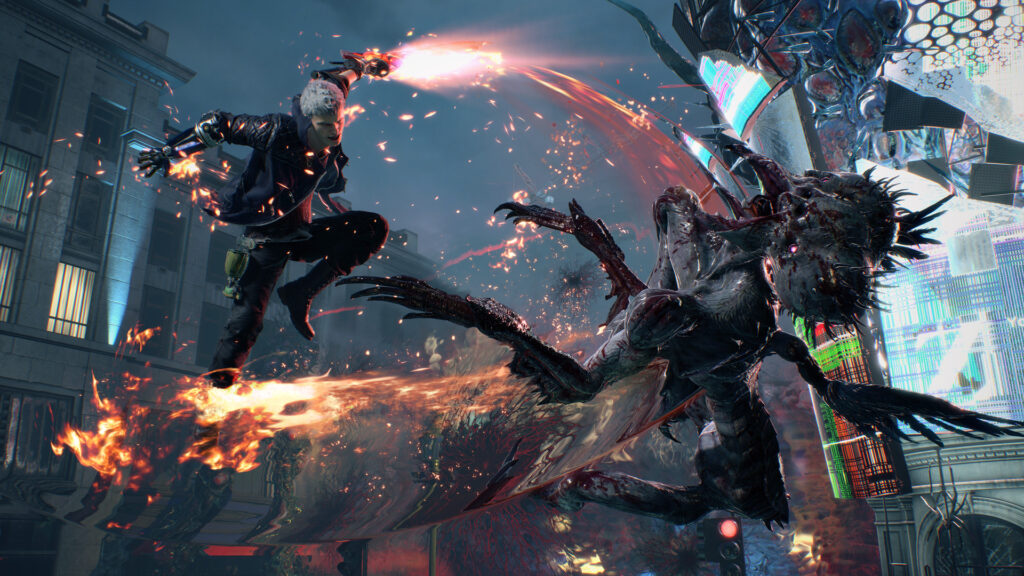
Capcom’s legacy spans fighting games, horror, and action, but this time around, it’s all about one thing: The high-octane energy of Devil May Cry 5.
If stylish combat, over-the-top combos, and demon-slaying swagger are your thing, this sale is laser-focused on you.
Top Capcom DMC Deals (6th - 11th June, 2025):
Boombit Highlights

BoomBit might be best known for their mobile roots, but don’t sleep on their growing PC portfolio if you’re after fast, fun, and addictive gameplay loops. Their games are all about instant action, bite-sized thrills, and clean arcade mechanics with a modern polish.
Whether you're charging through waves of enemies in Hell Throne, mining and mowing down mobs in Mine & Slash, or testing your aim in the sleek and competitive Archery Club, these titles are easy to pick up and hard to put down.
Top Boombit Deals (9th - 16th June, 2025):
2K Highlights - Sports and Strategy

Few publishers balance brains and brawn like 2K. On one side, you’ve got deeply strategic masterpieces like Civilization VI and XCOM 2 - games that test your planning, patience, and power plays. On the other hand, there’s the high-flying energy of NBA 2K25, which keeps pushing the boundaries of realism in sports sims.
This sale showcases the best of both worlds. Whether you're drawing up plays on the court or plotting world domination on the world stage, 2K has you covered.
And for something with a supernatural twist? Marvel’s Midnight Suns blends tactical combat with superhero storytelling at its most ambitious.
Top 2K Deals (6th - 13th June, 2025):
- NBA 2K25 All-Star Edition @ 80% Off
- NBA 2K25 @ 86% Off
- XCOM 2 @ 95% Off
- Sid Meier’s Civilization® VI @ 90% Off
- Marvel's Midnight Suns Legendary Edition @ 80% Off
Paradox Interactive Highlights

If you love grand strategy, political intrigue, and building empires your way, Paradox Interactive will be your go-to publisher.
This time, the spotlight’s on Empire of Sin – a unique blend of strategy and RPG that lets you fulfill that dream of becoming a boss of Chicago’s criminal underworld during the Prohibition era.
Top Paradox Interactive Deal (11th - 25th June, 2025):
TaleWorlds Highlights

For fans of sandbox warfare and medieval mayhem, TaleWorlds brings the Mount & Blade series, where you carve out your legacy through massive battles, tactical sieges, and dynamic open-world freedom.
If you’ve ever wanted to lead your own army, shape a kingdom, or simply ride into battle with your banner held high, this is your chance.
Top TaleWorlds Deals (19th June - 10th July, 2025):
Happy Gaming!

If you're looking to stock your library with genre giants, experimental gems, and classic franchises, this is your perfect opportunity.
Indeed, with discounts this deep, across publishers this strong, your only question should be: What to play first?!
Stay tuned for more promos and personal picks as we continue to hunt down the best value bundles for every type of gamer.
What more is there to say? Other than - happy gaming, everyone!
Check Out More 2Game Hot Deals Here
Great games, great deals!
The Devil Summoner Returns: RAIDOU Remastered Brings Stylish Upgrades for Modern Players
The devil summoner is back. Launching June 19, 2025, with slick pre-order bonuses in tow, RAIDOU Remastered: The Mystery of the Soulless Army is ready to reintroduce one of ATLUS’ most stylish RPGs to a modern audience.
For those who know, Devil Summoner: Raidou Kuzunoha vs. The Soulless Army wasn’t just another Atlus release. It was a cult classic that mixed demon summoning with sharp detective work in a supernatural spin on Taisho-era Tokyo. Now, almost two decades later, RAIDOU Remastered is kicking the door open with meaningful upgrades built for today’s players.
Whether you’re a returning fan or just discovering Raidou’s world, this isn’t some quick visual touch-up. It’s a thoughtful, upgraded revival that trims the clunky edges while staying true to its roots.
So, what’s actually new? And what’s genuinely worth getting excited about? Let’s take a look.
Pre-Order Your Discounted Copy of RAIDOU Remastered: The Mystery of the Soulless Army @ 2Game Today!
RAIDOU Remastered Features: What’s Been Upgraded?
Visual Enhancements that Respect the Original

Some remasters over-polish and lose the soul of the original. Thankfully, RAIDOU Remastered doesn’t make that mistake.
As you’d expect, the streets of Taisho-era Tokyo now look sharper and cleaner, but they still ooze that smoky, supernatural mood. Character models and environments pop in HD, but the game’s signature noir charm remains intact.
This isn’t a remake. It’s a respectful visual tune-up that knows where to draw the line. And for that, we're grateful.
Fully Voiced, Finally

The original game made you read. A lot. Text-heavy dialogue was part of the era, but now Raidou and the crew finally have their own voices, and it makes a huge difference.
The fully voiced cutscenes and interactions bring the story to life in a way the original simply couldn’t. Emotional beats hit harder. Plot twists land with more punch. Even the quirky side characters feel more alive now that they aren’t silently waiting for you to click through.
When you’re tracking a supernatural conspiracy, you want the tension to be more than just text on a screen, and now it is. Another good call from the team!
Battle System: From Clunky to Crisp

The original’s real-time battle system was ambitious for its time, but let’s be honest, it could feel like you were fighting through molasses.
RAIDOU Remastered gives combat the fluidity it always deserved. Demon summoning is faster and more intuitive, targeting is sharper and more reliable, and Raidou’s movement and attacks finally keep up with your instincts.
It’s the thrilling tactical experience the battles always wanted to be, but now it finally delivers.
QOL Improvements: The Invisible Wins

Quality-of-life upgrades aren’t always flashy, but they can absolutely make or break a remaster. Thankfully, ATLUS nailed this.
QOL improvements include:
- A streamlined UI that ditches the maze-like menus of the past
- Expanded 3D environments that make exploration smoother
- (Likely) improved save options and more forgiving checkpoints
The result? A game that moves faster, feels better, and respects your time in all the right ways.
RAIDOU Remastered Pre-Order Bonus

Ready to jump back into the detective’s coat? Pre-order RAIDOU Remastered: The Mystery of the Soulless Army before 4am UTC, June 19, 2025, and snag the Raidou Glasses—a cosmetic straight out of the Taisho era that boosts Raidou’s charm stat.
Sure, it’s just an accessory, but Raidou in round-frame vintage glasses? That’s some unbeatable detective drip!
Why RAIDOU Remastered Deserves Your Time

RAIDOU Remastered isn’t trying to reinvent the wheel. It’s giving a criminally underrated ATLUS gem the second life it deserves, with exactly the upgrades fans always hoped for.
With visuals that sharpen the atmosphere, a fully voiced cast that deepens the story, combat that finally feels as slick as Raidou’s coat, and quality-of-life tweaks that cut out the friction, this is the definitive way to experience this supernatural action RPG classic.
Add in that quirky pre-order bonus, and RAIDOU Remastered is stepping back into the spotlight with some serious style!
Pre-Order Your Discounted Copy of RAIDOU Remastered: The Mystery of the Soulless Army @ 2Game Today!
Giving this underrated ATLUS gem the tools it deserves to truly shine.
SCUM 1.0 – Everything You Get in the Final Build
Steam Early Access can sometimes feel like a black hole of sorts. Many a promising game has released unfinished via Early Access only to, well, get stuck smack-dab in the middle of it with no full, proper release in sight. We're absolutely thrilled to report that Gamepires' famed horror survival game, SCUM, won't be mired in Early Access no more! That's right: SCUM 1.0 is now out and about, and we're here today to explain precisely what that means for you.
If you just want a rapid-fire summary of what's what, though here goes: there's never been a better time to play SCUM, so if you were ever on the fence about its unique Adriatic Coast (Brač) setting, its ridiculous selection of enemies, and its wild premise, we can tell you to jump straight in right this instant. Yep, it's that good.
Get your SCUM Steam key right here, right now!

Wait, what actually is SCUM, anyway?
There's obviously been no shortage of horror-adjacent open-world survival games in the wake of Day-Z's success. SCUM is obviously and unrepentantly a product of that, too. That's not a bad thing, either, because the bit that has always set SCUM apart from the likes of, say, The Forest, is its insistence on depth and complexity.
From item maintenance to what the developer Gamepires says is "the most complex and greatest metabolism system ever done," (we tend to agree, on that) there's such a breadth of stuff to do that you'll be hard-pressed to get bored of the game anytime soon. The game is also set smack-dab in the middle of the Croatian coastline, as inspired by the country's classic dilapidated infrastructure. We're talking about 225 square kilometers of Adriatic goodness, here: no mean feat, especially when you fill the map up with zombies, mutants, robots, and AI-driven NPCs.
We're not joking when we say that SCUM takes obvious and pointed inspiration from extremely deep sandboxes such as Project Zomboid. And on that note, if complexity and depth is what you're looking for in your next faux-MMO survival experience, you're at just the right place. So far, then, we've painted the picture of a fairly bog-standard, if innovative survival game. Did its latest update warrant the revered 1.0 title update, though?

SCUM 1.0 Full Overview
While we're not going to go into all of SCUM 1.0's many varied patch notes here - you can check those out using this link here, instead - we are going to give you a fairly comprehensive look at all the big, game-changing additions featured therein. Here's a shortlist:
- Comprehensive rework of the island environ: new foliage, improved biome variety, all-new and reworked POIs, and massively improved asset render performance.
- Introduction of a vendor-based questing system.
- New wetness/moisture visualization system.
- Appearance of armed combatant NPCs available in all of SCUM's different game-modes.
- The return of the Mariner seaplane and the legendary Tractor.
- Ability to create your own SCUM content via the upgraded first-party server tools.
- Full retexture of all weapons.
- Massive rework of the First-Time User Experience, including (but not limited to) new tutorials, codex entries, tips and tricks, and loads more.
- Availability of server files for further modding and customization.
- Huge array of bugfixes and assorted improvements to game code.
Almost every aspect of SCUM has been altered or improved upon as part of the big 1.0 update, so whether you're a total newcomer or a returning veteran, you can rest assured that there's something exciting waiting for you in-game now.

What comes after SCUM 1.0?
Even though SCUM's Early Access ride is now over, after almost eight full years of active development, that's not to say the actual content pipeline is done and dusted. Not even close, in fact, as we've got the entirety of 2025 already jotted out with further post-launch updates and improvements. Here's the stuff that Gamepires has already confirmed for us:
SCUM 1.0 Q3 2025 updates
- New diseases and disease system improvements.
- NPC upgrades.
- A full rework of the armor system.
- New quests.
SCUM 1.0 Q4 2025 updates
- Wild Hunter NPC introduction.
- A rework of the inventory system.
- All-new weapons and gear.
- New equipment.
This is non-comprehensive too, mind: the respective Q3 and Q4 updates are bound to include more goodies that have not yet been discussed in great detail. Lots to look forward to, in other words!
How to join SCUM 1.0 servers?
One last thing we'd like to touch upon is that some players have found that their in-game server list isn't actually being populated properly. If that's the case, we recommend giving some of these official direct IP servers a shot, instead:
- 185.59.220.39:7062 SCUM Official Global - Europe SCUM
- 195.181.170.67:8450 SCUM Server Official Beginner #1 - Europe
- 172.240.239.132:20012 SCUM Server Official #9 - US West
- 121.127.47.116:7042 SCUM Official Server PvE #01 - Australia
- 79.127.249.94:6530 SCUM Server Official #2 - Russia
- 98.142.3.149:20012 SCUM Server Official Monthly Wipe #1 - US East
- 79.127.223.71:7002 SCUM Server Official #5 - US East
- 195.181.170.67:7426 SCUM Server Official #5 - Europe
- 69.41.166.73:20002 SCUM Server Official #3 - Singapore
- 78.111.102.182:20012 SCUM Server Official Solo / Duo #1 - Brazil
- 78.111.102.83:20002 SCUM Server Official #5 - Brazil
- 149.88.100.85:7022 SCUM Server Official #01 - US Central
- 37.19.207.10:7022 SCUM Official Server Hardcore #01 - US East
- 79.127.249.94:7938 SCUM Server Official Beginner #2 - Russia
- 79.127.249.94:6402 SCUM Server Official #1 - Russia
- 98.142.3.143:20012 SCUM Server Official PvE #1 - US East
- 78.111.102.39:20098 SCUM Server Official #1 - Brazil
- 98.142.3.131:20226 SCUM Server Official #3 - US East
- 51.161.218.36:20098 SCUM Server Official Beginner #1 - Australia
- 195.181.170.67:7170 SCUM Server Official #3 - Europe
- 94.156.93.157:20354 SCUM Server Official Beginner #3 - South Africa
- 51.161.198.209:20002 SCUM Server Official #5 - Australia
- 78.111.102.39:20226 SCUM Server Official #2 - Brazil
- 195.181.170.67:7938 SCUM Server Official #10 - Europe
- 188.42.122.36:20098 SCUM Server Official #5 - Asia
- 69.41.166.123:20098 SCUM Server Official Beginner #1 - Singapore
- 69.41.166.75:20012 SCUM Server Official #2 - Asia
- 209.192.159.4:20002 SCUM Server Official #4 - US West
- 51.161.198.130:20098 SCUM Server Official #1 - Australia
- 98.142.3.143:20002 SCUM Server Official Hardcore #1 - US East
- 37.19.207.10:7002 SCUM Server Official #01 - US East
- 69.41.166.79:20012 SCUM Server Official #9 - Asia
- 69.41.166.75:20002 SCUM Server Official #12 - Asia
- 185.59.220.39:7022 SCUM Server Official #1 - Europe Monthly Wipe
- 15.235.181.208:7002 SCUM Server Official #02 - Singapore
- 98.142.3.183:20354 SCUM Server Official Beginner #3 - US East
- 172.240.67.77:20098 SCUM Server Official #1 - US West
- 79.127.249.94:7042 SCUM Server Official #6 - Russia
- 172.240.67.75:20098 SCUM Server Official #6 - US West
- 79.127.219.101:7042 SCUM Server Official #8 - US East
- 5.9.115.49:7022 SCUM Official Server Hardcore #01 - EU
- 195.181.170.67:7042 SCUM Server Official #2 - Europe
- 79.127.213.20:7042 SCUM Server Official #01 - Singapore
- 78.111.102.54:20002 SCUM Server Official #3 - Brazil
- 69.41.166.123:20226 SCUM Server Official Beginner #2 - Singapore
- 51.161.198.166:7022 SCUM Server Official #01 - Australia
- 69.41.166.79:20002 SCUM Server Official #8 - Asia
- 78.111.102.83:20012 SCUM Server Official #6 - Brazil
- 79.127.244.247:7002 SCUM Official Server PvE #01 - US Central
- 51.161.198.188:20002 SCUM Server Official #3 - Australia
- 195.181.170.67:7682 SCUM Server Official #7 - Europe
- 98.142.3.183:20098 SCUM Server Official Beginner #1 - US East
- 94.156.93.157:20226 SCUM Server Official Beginner #2 - South Africa
- 195.181.170.67:6914 SCUM Server Official #1 - Europe
- 195.181.170.67:8066 SCUM Server Official Hardcore #1 - Europe
- 69.41.166.77:20012 SCUM Server Official #1 - Singapore
- 79.127.249.94:7554 SCUM Server Official Global #1 - Russia
- 69.41.166.81:20002 SCUM Server Official #6 - Asia
- 94.156.93.157:20098 SCUM Server Official Beginner #1 - South Africa
- 69.41.166.123:20354 SCUM Server Official Beginner #3 - Singapore
- 209.192.159.4:20012 SCUM Server Official #5 - US West
- 94.156.93.217:20226 SCUM Server Official Hardcore #1 - South Africa
- 94.156.93.115:20226 SCUM Server Official #2 - South Africa
- 209.192.159.124:20002 SCUM Server Official Global #1 - US West
- 69.41.166.77:20002 SCUM Server Official #1 - Asia
- 69.41.166.81:20012 SCUM Server Official #7 - Asia
- 98.142.3.145:20002 SCUM Server Official #4 - US East
- 209.192.169.60:20098 SCUM Server Official Beginner #1 - US West
- 69.41.166.73:20012 SCUM Server Official #4 - Asia
- 51.161.198.130:20226 SCUM Server Official #2 - Australia
- 195.181.170.67:8578 SCUM Server Official Beginner #2 - Europe
- 78.111.102.182:20002 SCUM Server Official Solo #1 - Brazil
- 188.42.122.44:20354 SCUM Server Official #3 - Asia
- 46.4.39.173:7042 SCUM Server Official #9 - Europe
- 94.156.93.115:20098 SCUM Server Official #1 - South Africa
- 79.127.249.94:7810 SCUM Server Official Beginner #1 - Russia
- 172.240.67.77:20354 SCUM Server Official #3 - US West
- 172.240.239.132:20002 SCUM Server Official #8 - US West
- 78.111.102.176:20098 SCUM Server Official Beginner #1 - Brazil
- 188.42.122.52:20354 SCUM Server Official #10 - Asia
- 79.127.249.94:8066 SCUM Server Official Beginner #3 - Russia
- 78.111.102.54:20012 SCUM Server Official #4 - Brazil
- 185.59.220.40:7002 SCUM Server Official #01 - Europe
- 79.127.249.94:6658 SCUM Server Official #3 - Russia
- 98.142.3.129:20482 SCUM Server Official #1 - US East
- 195.181.170.67:7810 SCUM Server Official #8 - Europe
- 94.156.93.217:20098 SCUM Server Official #3 - South Africa
- 188.42.122.44:20226 SCUM Server Official #2 - Singapore
- 51.161.218.36:20226 SCUM Server Official Beginner #2 - Australia
- 172.240.67.75:20226 SCUM Server Official #7 - US West
- 209.192.169.60:20354 SCUM Server Official Beginner #3 - US West
- 79.127.249.94:6914 SCUM Server Official #5 - Russia
- 51.161.198.209:20012 SCUM Server Official #6 - Australia
- 195.181.170.67:6402 SCUM Official Server PvE #1 - Europe
- 5.9.115.49:7082 SCUM Server Official #1 - Europe Solo
- 98.142.3.183:20226 SCUM Server Official Beginner #2 - US East
- 78.111.102.176:20354 SCUM Server Official Beginner #3 - Brazil
- 98.142.3.129:20354 SCUM Server Official #1 - Canada
- 98.142.3.147:20012 SCUM Server Official #2 - US East
- 79.127.219.101:7022 SCUM Server Official #6 - US East
- 78.111.102.196:20354 SCUM Server Official Hardcore #1 - Brazil
- 195.181.170.67:7298 SCUM Server Official #4 - Europe
- 79.127.249.94:7298 SCUM Server Official #8 - Russia
- 15.235.181.208:7022 SCUM Official Server Hardcore #01 - Singapore
- 79.127.249.94:7170 SCUM Server Official #7 - Russia
- 169.150.231.117:7002 SCUM Server Official #01 - US West
- 51.161.198.166:7002 SCUM Official Server Hardcore #01 - Australia
- 79.127.249.94:7682 SCUM Server Official Hardcore #1 - Russia
- 51.222.255.64:7002 SCUM Official Server Hardcore #01 - Canada
- 188.42.122.52:20482 SCUM Server Official #11 - Asia
- 98.142.3.147:20002 SCUM Server Official #2 - Canada
- 79.127.249.94:6786 SCUM Server Official #4 - Russia
- 79.127.244.247:7062 SCUM Server Official #1 - US Central Solo
- 209.192.169.60:20226 SCUM Server Official Beginner #2 - US West
- 78.111.102.176:20226 SCUM Server Official Beginner #2 - Brazil
- 195.181.170.67:8706 SCUM Server Official Beginner #3 - Europe
- 51.161.198.188:20012 SCUM Server Official #4 - Australia
- 209.192.159.124:20012 SCUM Server Official #2 - US West
- 78.111.102.196:20226 SCUM Server Official #7 - Brazil
- 79.127.249.94:7426 SCUM Server Official #9 - Russia
- 149.88.100.85:7042 SCUM Server Official #1 - US Central Solo / Duo
- 185.59.220.40:7062 SCUM Server Official #1 - Europe Solo / Duo
- 51.161.218.36:20354 SCUM Server Official Beginner #3 - Australia
- 98.142.3.145:20012 SCUM Server Official #7 - US East
- 195.181.170.67:7554 SCUM Server Official #6 - Europe
- 98.142.3.131:20098 SCUM Server Official #3 - Canada
This list was shared on the official SCUM Discord server, but we're also sharing it here for posterity's sake, in case you need to quickly reference it on the go. Remember, too, that SCUM fully supports regular single-player modes and local co-op multiplayer, so you can set up your own servers if you choose to do so.
And that about covers the 1.0 release of SCUM! We hope this has provided the context necessary to enjoy the game the way it's meant to be enjoyed, and no there's no Early Access moniker hanging over our proverbial (and literal!) heads. Stay tuned for more SCUM and SCUM-themed content at 2Game, and don't forget to check the link below for any deals we may have in place.
Get your SCUM Steam key right here, right now!
Lots of stuff, actually.
Minecraft 1.21.92 Hotfix: Full Patch Notes and Bug Fixes
Mojang has rolled out Minecraft 1.21.92, a hotfix update for Bedrock Edition that addresses several issues players encountered following the Chase the Skies update. The patch went live on June 19, 2025 for most platforms, with Xbox and Fire OS receiving it on June 20, and Nintendo Switch users getting access on June 24.
Get Your Copy Of Minecraft Right Here At 2Game!
What Does the Minecraft 1.21.92 Hotfix Fix?
This update targets a handful of bugs that cropped up in version 1.21.90, with split-screen functionality taking center stage. Here's the full rundown of what Mojang addressed:
Split-Screen Improvements
The most notable fixes revolve around split-screen play. Players on Xbox were running into an annoying issue where split-screen participants would always appear as Guests, regardless of their actual account status. That's been sorted. Additionally, a crash-inducing bug that would disconnect players from multiplayer worlds when attempting to add split-screen players has been squashed.
Projectile System Adjustments
Mojang reworked how the projectile tolerance margin functions. Previously, this margin expanded for every flight tick, which caused problems with tridents failing to damage mobs after being moved by pistons or trapdoors in certain situations. The tolerance margin now increments based on total active time in the world instead, regardless of the projectile's travel state.
Visual and Technical Fixes
Items smaller than 16 pixels in width or height now render correctly again. Custom skyboxes in texture packs also received attention, as they weren't displaying properly without Vibrant Visuals enabled. On the technical side, null components in entity definition files now parse and load correctly, restoring original behavior for content creators working on add-ons.
How to Get the Update
The update should have rolled out automatically through your platform's store. If you're not seeing it yet, give it some time as Mojang deploys these patches gradually across different platforms. You can report any lingering bugs at bugs.mojang.com.
Get Your Copy Of Minecraft Right Here At 2Game!
Minecraft 1.21.92 fixes split-screen bugs, projectile issues, and custom skybox rendering. Full patch notes for Bedrock Edition’s June 2025 hotfix.
Firefighting Simulator: Ignite – A New Brand of Co-Op?
Guns are the bread and butter of modern gaming, and while we've got absolutely no moral qualms about virtual violence, it sure as heck would be nice if we had more games where you absolutely, indisputably were the good guy. Enter Firefighting Simulator: Ignite - a brave new take on a... classic formula? We reckon not, but it's exciting nonetheless.
Setting aside the obviously interesting premise of being an honest-to-goodness firefighter, Firefighting Simulator: Ignite presents us with a comprehensive Unreal Engine 5-based simulation of what it's like to save people from a wide variety of life-endangering situations, including fire. Neat stuff, especially since nobody's actually in danger in a video game!
Down below, we've prepared a short and to-the-point summary of what Firefighting Simulator: Ignite is, how it works, and what makes it special - all to kick off our coverage of the game proper. So, let's get to it.
Stay tuned for Firefighting Simulator: Ignite at 2Game!

What is Firefighting Simulator: Ignite?
In the simplest terms possible, Firefighting Simulator: Ignite is a dedicated single or co-op multi-player game where each player takes control over a firefighter avatar. Crucially, FSI is supposed to simulate virtually every aspect of the firefighting business, with jobs that range from saving trapped civilians from realistically simulated fire all the way to slow, methodical (but forced) entry into broken-down buildings, vehicles, and beyond.
The gist of FSI is that each of its many varied missions is going to test your playgroup's skills in extremely varied ways. Firefighting Simulator: Ignite doesn't just have jobs where you need to put out fires. Instead, you need to drive your truck down to the pertinent location, figure out the what and the why of it, and then come up with a strategy on how to get the situation under control.
The really exciting bit here comes from the fact that this entire firefighting sim is driven by Unreal Engine 5, specifically. Though we have our qualms with the engine due to its... crummy... performance, there's no denying the fact that it's a cutting-edge piece of tech through-and-through. What this means in practice for FSI is that the flames, the smoke, and the heat are all being simulated rather realistically in real-time. If you're keen on games that feature physics as a key aspect of gameplay, this is absolutely the ticket.

How does Multiplayer work in Firefighting Simulator: Ignite?
Even though we're certain FSI is going to be great in single-player, it should go without saying that co-op multiplayer is the main draw here. On that note, you can expect support for up to 4 people at a time, each being able to tackle a different firefighting role in the field.
When we said that Firefighting Simulator: Ignite shows off virtually every aspect of the firefighting job we meant that, too: FSI isn't just about jumping directly into missions, but it also simulates the experience of being at the headquarters in-between operations, the travel to-and-from tasks, and a whole slew of other things that we don't usually get in games such as these. To say nothing of the fact that there's just not that many of them in the first place.
With all of this in mind, if FSI really does end up being as impressive in practice as it is on paper, this is going to be the go-to co-op multiplayer game for anyone who wants to do more in a game than just shoot down bad guys. We'll have more info to share about Firefighting Simulator: Ignite as we approach its release window, but for the time being, this'll have to do.
Stay tuned for Firefighting Simulator: Ignite at 2Game!
Fight fire with… not fire.
Grassroots, Pro, or Elite? Which Rematch Edition Matches Your Playstyle?
Ballers, this one’s for you. Rematch kicks off on June 19, 2025, and this is not your dad’s football sim.
We’re talking raw, rapid, five-a-side football, streetz-style.
You control one player. You team up with your mates. You fight for glory in fast-paced, no-nonsense matches. No fouls. No offsides. No breathers. Just pure football energy from a slick third-person perspective.
With positive early reviews, if you're a football fan, this one’s shaping up to be a no-brainer.
But let’s cut to the real decision: Which Rematch edition fits your game? Are you rolling in as a Pro? Going all-out Elite? Or maybe you’re just here to lace up and see where the game takes you?
Trust me, it matters. This is football. And the right starting position makes all the difference.
Pre-Order Your Discounted Copy of Rematch @ 2Game Today!
Which Rematch Edition Matches Your Playstyle?

Rematch Standard Edition – For the Grassroots Player
Includes:
- Base Game
The Sunday League special. If you’re here to enjoy the beautiful game without splashing too much cash, the Standard Edition’s got what you need. You’ll get the full Rematch experience, straight-up. No extras. No distractions. Just football.
Even better? If you’re an Xbox Game Pass player, you’re in from Day One. No extra spend required. This is perfect for casuals, first-timers, and those who just want to get their boots dirty.
Pre-Order Your Discounted Copy of Rematch @ 2Game Today!
Rematch Pro Edition – For the Players with a Point to Prove
Includes:
- 72-hour Early Access (pre-order only!)
- Captain Pass Upgrade Ticket
- Blazon Cosmetic Bundle (Tank Top, Jewel Set, Pattern)
- Exclusive Player Background and Title
Now we’re talking. 72 hours of early access is a genuine tactical advantage. In Rematch, timing is everything, and those extra three days mean you can lock in your skills, learn the maps, and get a head start on climbing the leagues.
Then there's the Captain Pass. Your fast-track to future seasonal content. This edition is for competitive ballers and early rank grinders who want to set the tempo on day one.
Pre-Order Your Discounted Copy of Rematch Pro - Edition @ 2Game Today!
Rematch Elite Edition – For the Kings of the Streets
Includes:
- Everything in the Pro Edition
- Second Captain Pass Upgrade Ticket
- Blazon Augmented Reality Cage Skin
- Extra Cosmetics
This is elite mode. You’re here to turn heads and take names. Early access, Double Captain Pass upgrades, serious season progression, and most importantly? The Augmented Reality Cage skin and those Glitcher Trainers. Elite isn't just about playing the game; it’s for hardcore collectors, style kings, and players who want to dominate the cage.
Pre-Order Your Discounted Copy of Rematch - Elite Edition @2Game Today!
Why Early Access With Pro and Elite is a Pre-Season Must

Let’s be real: In a competitive online football game, three days of early access is more than a head start – it’s a proper pre-season advantage.
While everyone else is warming up, you’ll already be: Reading passing lanes, mastering dribbling mechanics, building finishing muscle memory, and gaining an early lead in the seasonal rankings.
If you want to be anywhere near the top leagues, this is how you get there. But remember, early access is pre-order only on Pro and Elite editions. Miss that window? Your pre-season’s over before it even starts.
So, Which Rematch Edition Should You Buy?

Here’s the locker room breakdown:
- Standard Edition: Great if you’re testing the waters, playing on Game Pass, or saving your coins for premium cosmetics later.
- Pro Edition: Best value for competitive players who want that critical early access and a solid season pass jump.
- Elite Edition: Go for this if you’re all-in on Rematch and want early access, the flashiest gear, and the most progression boosts.
So, to sum things up before the final whistle: If you’re mostly here for the vibes, the Standard Edition’s a perfect place to start. If you’re here to compete, climb, and make a name for yourself on the streets, Pro may be your sweet spot. And if you’re here to own the cage in every possible way? It's Elite Mode all the way.
The cage is waiting. The whistle’s about to blow. Are you ready?
Elite Mode?
Borderlands 4 System Requirements: Should You Be Worried?
Game optimization and performance minimums are a thing some of us are passionate about here at 2Game. Getting things to work just right while looking delightful still is a bit of an art form depending on who you ask and what you're trying to play your games on, and Borderlands 4 seems like it may be problematic for low-spec machines.
That's right: Gearbox Software has finally issued out the initial batch of Borderlands 4 PC system requirements, and though we're not necessarily surprised by it, we do believe some of you will be. Not positively, either. The fact of the matter is that Borderlands 4 seems to be rather low-spec-unfriendly as of right now, and we've got some unfortunate implications of this to discuss. Let's get to it.
Stay tuned for more Borderlands 4 content at 2Game!

Official Borderlands 4 PC System Requirements are In
Though Borderlands 4's official recommended system specs aren't totally out of this world, they are steeper than you might've expected, given how similar it looks to Borderland 3. The recommended GPU is the reasonably fast RTX 3080, for example, and Gearbox suggests stocking at least 32 GB of RAM to be able to max the game out. Here are the hard specs, starting with the minimum!
Minimum Borderlands 4 PC Spec
- 64-bit OS and CPU
- OS: Windows 10/11
- CPU: Intel Core i7-9700 / AMD Ryzen 7 2700X
- RAM: 16 GB
- GPU: Nvidia GeForce RTX 2070 / AMD Radeon RX 5700XT
- VRAM: 8 GB
- Storage: 100 GB of available space on an SSD drive
Recommended Borderlands 4 PC Spec
- 64-bit OS and CPU
- OS: Windows 10/11
- CPU: Intel Core i7-12700 / AMD Ryzen 7 5800X
- RAM: 32 GB
- GPU: Nvidia GeForce RTX 3080 / AMD Radeon RX 6800XT
- VRAM: 12+ GB
- Storage: 100 GB of available space on an SSD drive
Of particular note here is that not all RTX 3080s will be able to max Borderlands 4 out, by Gearbox's own admission. Remember that the initial batch of RTX 3080s actually had only 10 GB of VRAM, only for Nvidia to bump the spec up to 12 GB of VRAM later on. Those constraints are starting to get really annoying here, from the look of things, and it's not going to get any better anytime soon for the original 3080 owners.
Lots to mull on, then, and lots of information to stay tuned for as we near September 12, Borderlands 4's current official release date. Note that we've got comprehensive low-spec PC optimization and modification guides here at 2Game, not the least of which is this chunky list of tips & tricks that we highly recommend, even if you're not stuck with a low-end rig. They've come in so handy so many times that it's not even funny, and we're preparing a big Lossless Scaling guide, as well!
We'll have more to discuss about Borderlands 4 specifically as Gearbox unveils more information about it. Of course, there's the September launch too, which we'll cover in substantial detail, rest assured on that front.
Stay tuned for more Borderlands 4 content at 2Game!
Uhhhh, possibly?
The Ultimate Guide to In-Home Game Streaming
Game streaming! There are two kinds, didn't you know? The more popular one, by far, has to do with Twitch and other such services, and you hardly need us to start explaining that away. Today, however, we're more interested in the other kind, and if you're not that much into content creators and Internet personalities, we think you will be too.
More specifically, this is our ultimate guide to making the absolute most of the single most powerful gaming rig you have in your home. In most cases, that'll be your desktop PC, but this same approach can also be applied to virtually any gaming-capable PC, including reasonably powerful laptops and whatever else. Of course, we are talking about in-home streaming, which is easily one of the best things you could be using your home network for.
If you're a total newcomer to in-home game streaming (or Remote Play, if we're to use Valve's verbiage), then you're going to want to read through our intro section of the what, why, and how of it. If not, however, feel to skip down to the practical guide featured lower down. Good luck!

A Short Primer on In-Home Game Streaming
First things first, then: in-home game streaming of any type is basically just about transmitting your main rig's gameplay over to a secondary, receiver device. This device can be virtually anything by now, as we'll explain later on, and you could use a different, lower-end PC, a Steam Deck, or even your phone to play games the same way you do in your office. Neat stuff, really! It also means you don't need to stay stuck to your main gaming rig all day long, and you aren't forced to maintain several expensive gaming-capable PCs across your home.
Another huge boon for people modding their games is that, with in-home game streaming, you don't need to rebuild your entire installation on every single rig you want to play them on! Instead, your modded build of a game is simply streamed directly to the receiving device, and all of your saves, progression, and customization options are maintained across the board.
Of course, there are still caveats to keep in mind about all this. Firstly, there's going to be some small amount of added latency to the experience no matter what you do. If you do things right and follow our guide, this will be effectively imperceptible, but it's still worth being aware of it. Further, it should go without saying that you may need to do some changes to your network topology and the setup of your Intranet (yes, Intranet) to make things as seamless as they can be.
Everything you need for in-home game streaming
Of course, there is a baseline of technical requirements for us to parse through first. Here are all the things you'll need for a decent in-home game streaming experience:
- A host device, which is your main gaming PC.
- Solid local network coverage (i.e. hardwired backhauls, properly set-up access points and/or mesh nodes, and so on).
- A receiving device, which is virtually anything you want to play your games on.
On top of all of these things, you may or may not have further necessities depending on your specific network setup and use-case. As an example, here's how things went when I was setting up my own personal in-home game streaming setup!
My main gaming rig pulls double-duty as a office workhorse, and it's on the opposite end of the bedroom where I wanted to be able to play my games on both a low-end HTPC and my Steam Deck. This meant that I needed both hardwired Ethernet driven to the HTPC and solid WiFi coverage for the Deck, with the former easily solved by the purchase of a 50-meter CAT5E cable and a trip to the attic. The latter, however, was an issue since the router is located in the office, right next to the main gaming rig.
Solving this meant a minor investment in the overall capabilities of our home network: a few switches, a few hours' worth of cable organization, and a fancy new mesh network extender (with a hardwired CAT6 backhaul, at that) solved this problem real quick. However, I did need to spend some time planning out the upgrade to accommodate my use-case.
All of this is to say that if you don't get the performance/experience you're looking for right off the bat, you'll need to device if it's worth investing both money and time in working out what the issue is. In my case, it worked out phenomenally well, and I do recommend it.
Aside from networking qualms, note that your rig's specifics may also need some elbow grease. For example, the aforementioned office/gaming PC is equipped with two monitors, one of which is a non-standard 21:9, and the other is a regular 16:9... that's vertically oriented. Using these as a baseline for game streaming over to my bog-standard 16:9 HTPC TV or the Steam Deck was a no-go, and you need a GPU output for streaming to work, so simply turning them off wasn't an option either. This problem was solved by a simple dummy DisplayPort plug that emulates a 16:9 display at whatever resolution I choose, and a handy little CMD executable that turns my office displays off and on, depending on whether I want to stream games to my other devices, or do some actual work.
None of this may apply to your specific setup, but it's just to illustrate that you should be prepared to adapt and modify your entire rig to get the most out of in-home game streaming. It's not outright necessary, but it can work wonders for sure.

Using Steam Remote Play for In-Home Game Streaming
The single handiest and most easily accessible software option for in-home game streaming is absolutely Steam Remote Play. Though some swear by other solutions - which we will get to later on - we find Remote Play to be a stellar option once properly configured, and the beauty of it is that it skips the dreadful operating system navigation and lets you jump straight into games themselves. All fully integrated with your Steam client, to boot.
Note, too, that not having games purchased on Steam doesn't actually preclude you from playing them via Remote Play. Any game can be added to Steam via the 'Add Non-Steam Game' option in the lower left corner of the interface, and this includes your Microsoft Store, Epic, or entirely unaffiliated titles to boot! Obviously, Valve won't tell you this is possible outright because they want you to play Steam games first and foremost, but there's nothing stopping you from doing so.
There are several things you need to do on your host PC to create an optimal streaming setup. To do so, open Steam's settings menu and scroll down to the 'Remote Play' tab. There, do the following tweaks:
- Enable Remote Play
- Pair Steam Link with all the receiver devices you wish to use Remote Play on (set the proper PIN and input when requested)
- Enable 'Allow Direct Connection (IP sharing)', as this allows you to use your local area network, rather than the Internet
- Enable the 'Advanced Host Options' toggle
- Enable the 'Change desktop resolution to match streaming client' toggle
- Disable the 'Use NVFBC capture on Nvidia GPU'
- Enable the hardware encoder
- Enable the 'Prioritize network traffic' toggle
And that's about all you need to do on your host PC, unless you've got a fairly exotic use-case. You should be able to move on to your client device(s) from this point on!
Streaming to a Steam Deck
Let's start with the obvious client device: the Steam Deck. This is a wonderful gaming device, especially if you've got the OLED model at hand, but its hardware is getting a bit long in the tooth and can't keep up with the cutting-edge AAAs we nowadays get. Unreal 5, in particular, is a sore spot for Valve's original handheld.
Thing is, you can still play AAs, indies, and older releases on your Deck just fine natively, while in-home streaming takes care of the latest and greatest AAAs. With proper home networking, we can vouch for this being a phenomenal and nigh-indistinguishable option from native play! Provided you tweak the following settings on your client Steam Deck:
- Enable the 'Advanced Client Options' toggle
- Set Video quality to 'Beautiful'
- Set Bandwidth Limit to 40 MB/s
- Set Framerate Limit to 60 FPS on the base Deck, 90 on the OLED model (then modify accordingly on a per-game basis)
- Set Resolution Limit to 'Automatic'
- Disable the 'Hardware Decoding' toggle
This is going to get you the optimal balance between performance and visual quality with minimum latency and virtually no effect on the remainder of your local area network. Neat stuff!
Streaming to a Mobile Phone
The biggest caveat when streaming from your PC to a mobile phone - be it Android or Apple - is whether you've got a gamepad or not. We cannot overstate the importance of this bit here: you need an actual controller of some sort to be able to enjoy PC/console-tier games on your phone, and the good news is that there's such a huge glut of phone controllers on the market that it shouldn't be hard to find one. Choices range from regular home console type gamepads all the way to the likes of Backbone One, which wraps around your device to give you a Steam Deck-esque gaming experience.
Whichever controller you end up getting, setting up Remote Play on your phone is easy! Just head on over to Google Play or the Apple Store and download the official Valve Steam Link app. The specifics of which settings work best will vary depending on your phone, however, so there may be some trial and error on that front.
Streaming directly to a Smart TV (Android)
There's really not much to be said here... if you've got a Smart TV with an Android-based OS, you simply follow the steps you'd take on a phone, and you're good to go! Steam Link really is the ultimate Remote Play app, and the good thing about streaming to a TV instead of a phone is that you can hard-wire your Internet into it, which in turn massively improves input latency.
Honestly though, a Smart TV with Steam Link installed may well be the perfect choice for those who just aren't in the mood to build a media HTPC for their living room/bedroom setup. Add a solid controller to the TV, and you've got all the makings of an honest-to-goodness console-level gaming experience.
Streaming to a VR Headset
Believe it or not, you can even stream your PC games to a VR headset nowadays! Well, to just a handful of pre-selected VR headsets, namely Meta Quest 2, 3, and Pro, but the option is there regardless.
The setup is fairly similar to that of any other non-PC, non-Deck machine, wherein you install Steam Link and access your host PC's gaming library using it. No cables, no proprietary tidbits, no fussing about. Except for Meta's shovelware, that is, but that's a different can of worms.
Streaming to a Different PC
Using Steam Remote Play on a secondary PC on the same network as the host PC is basically a non-issue at this point. You only really need to pair the machines to one another using the procedure we outlined above, and the two PCs' respective local libraries will then intersect and be available on both rigs.
If you're running Steam using a Windows or Linux PC, there's literally nothing else you need other than to complete the pairing setup between the two rigs. Playing games on a fast local network is going to be basically indistinguishable from playing them natively, though all the other caveats apply. Make sure that you customize the client PC settings, too, according to what we outlined in the Steam Deck section!

Using Moonlight for In-Home Game Streaming
One big thing to keep in mind about Valve's native Steam Remote Play is that it just doesn't work flawlessly across the board. Even though it works phenomenally well on my personal setup, that hasn't been the experience that many others have had, and that means you may wish to give some alternatives a shot, as well.
The most prolific of them all is certainly the Sunshine/Moonlight combo: a comprehensive open-source game streaming software. This is arguably more powerful than Valve's own onboard Steam Link/Remote Play solution, but it's not integrated directly into Steam, so it's not as easily and immediately available.
The thing that makes Moonlight notable is that it's an open-source version of Nvidia's own GameStream protocol, as used in the old Nvidia Shield handheld if you remember that blast from the past. The resulting service is a powerful toolkit that supports:
- 4K @ 120 FPS streaming
- HDR
- Support for an extremely wide variety of platforms, from Android mobile phones to Raspberry Pi setups
- Game server hosting
And lots more. Crucially, it's fully open-source and entirely free, which makes it an excellent choice practically across the board. You can find Moonlight and its host applet, Sunshine, using the official project website.
From that point on, the setup isn't particularly challenging, but it is a bit of a process. We recommend reading up on official Moonlight documentation before jumping in. It does boil down to setting up a host machine and a client access point in much the same way as Remote Play does:
- Install the latest version of Sunshine on your host PC, then reboot the machine.
- Start the Sunshine server on your host PC and finish the configuration process via your browser of choice: you can safely ignore the safety warning that pops up during the setup.
- Start the Moonlight app on your client PC and confirm that both of the pertinent devices are connected to the same network. It shouldn't take more than a couple of seconds before the Sunshine host pops up in the selection menu.
- Complete the pairing process using the PIN you've set up prior, and you're golden.
Do note that there's a tad more setup needed if you're trying to get HDR to work, but all information on that is available via the official guide document, so reference it if necessary. Moonlight developer recommends a reasonably fast wireless network or solid Ethernet backhaul to all of your Internet access points for solid stream quality. All sensible recommendations, really.

Jump into In-Home Streaming Today!
And that about does it for our short(ish) primer on the wonderful world of in-home game streaming! Why, yes, we do sound like an early-2000s Microsoft straight-to-TV commercial on purpose. Why do you ask? All cheekiness aside, we hope this gave you insight into the what's what of game streaming, because it really is an invaluable tool if you're just trying to game away from your main desktop PC.
We'll keep this guide topped-up and up-to-date as much as humanly possible, so you can keep referencing it whenever necessary. And, of course, do stay tuned for more guides like these, because we've got a bunch more planned for the near and far future.
For example, we recommend checking out this massive low-spec PC optimization guide from a few years back! We've topped it up with latest info and a few fairly advanced tweaks over the years, and we think even mid-range gaming PCs can profit from leveraging them.
No, not on Twitch!
Still Wakes the Deep: Siren’s Rest Launch – Huge Discounts on Base Game and DLC!
A year after Still Wakes the Deep first launched, the reviews continue to glow. A multi-award-winning horror classic, it's the kind of nightmare you won't want to wake up from.
But while a calendar year may have passed for us, underwater, it's a lifetime. And the ocean never forgets.
Enter the June 18th release of Still Wakes the Deep: Siren’s Rest.
It’s been ten years since the Beira D oil rig vanished beneath the freezing waves, but the horrors that unfolded refuse to stay buried. Siren’s Rest is here to pull you back under. The good news? It’s launching with over 15% off. The even better news? To celebrate, the base game is more than 50% off in store right now.
If you’ve been waiting to pluck up the courage to board the Beira D, this is your chance to experience one of the most chilling, critically acclaimed horror stories in recent memory. And if you survived its original nightmare? The sea is calling you back!
Pre-Order Your Discounted Copy of Still Wakes the Deep: Siren's Rest @ 2Game Today!
The Haunting Legacy of Still Wakes the Deep

The hype for Still Wakes the Deep was real. Polygon called it “a new horror classic.” PC Gamer described it as “one of the best stories I’ve played through in a very long time.” Even The New York Times called it “delightful, beautifully realized.” Although let’s be honest, delightful isn’t exactly the word that springs to mind when you’ve been hunted, helpless, on a sinking rig!
Set in 1975, marooned on a Scottish oil rig cut off by a brutal storm, this is a game that traps you in its tension. There are no weapons. No superpowers. Just you, the groaning metal, and the rising panic that something is stalking you, and it cannot be reasoned with. We're talking 6 hours of edge-of-your-seat survival, where even the sea itself seems to conspire against you.
And now, Siren’s Rest gives us a chance to revisit those ghosts. Only this time, you’re diving to meet them on their own terms.
Get Over 50% Off Still Wakes the Deep @ 2Game Today!
Siren’s Rest DLC: Answers Lie Beneath

It’s 1986 now. The Beira D is a twisted, rusting graveyard resting on the ocean floor, and the families of the lost have waited over a decade for closure.
You play as Mhairi, leading a deep-sea dive to uncover what really happened when the rig went dark all those years ago. But this isn’t a peaceful archaeological mission. The Beira D isn’t resting. The wreck groans. It shifts. It remembers.
Where the base game trapped you on the rig’s collapsing decks, Siren’s Rest submerges you into an even more claustrophobic, psychological nightmare. You’re not just running for your life, you’re documenting what’s left of it; swimming through crumpled corridors, photographing the remains of the crew, piecing together their final, terrifying moments.
And the deeper you go, the louder the question becomes: Are you uncovering the truth? Or are you being lured into a trap by something that never really let go?
Still Wakes the Deep: Siren's Rest - Why Now is the Time to Play

This isn’t just about a new DLC. It’s about one of 2024’s best horror games being more than 50% off, and the brand-new Siren’s Rest expansion launching at over 15% off.
The Chinese Room’s signature slow-burn horror is alive and well here, amplified by an oppressive sense of the fear of the deep. And the deeper you descend, the more that fear wraps around you.
Whether you’re new to Still Wakes the Deep or waiting for the perfect moment to return, this is your chance. Yes, the story is terrifying, but it’s also profoundly human. It’s a game about survival, grief, and the unbearable cost of searching for the truth.
And with discounts this good, it’s a deal you’ll want to grab before it’s swallowed by the tide!
With discounts this good, it’s time to face your fears!
 English
  German
  French
  Portuguese
  Spanish
  Polish
  Dutch
Dutch